ZATCA-Compliant POS Checklist: 7 Must-Have Specs Before You Buy
Key takeaways:
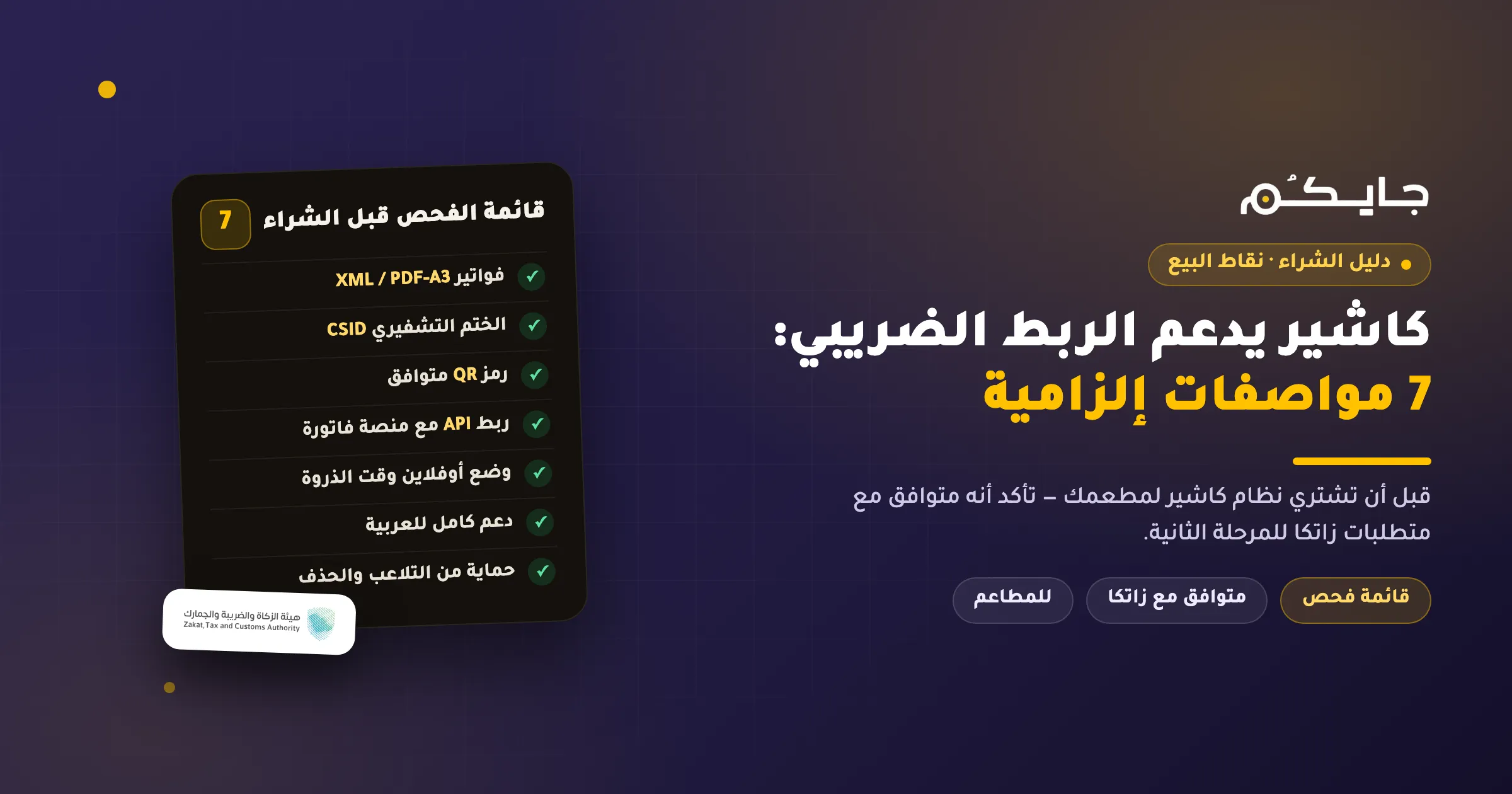
- A Phase 2-compliant POS must deliver 7 mandatory specs: XML invoice generation, a CSID cryptographic stamp, a 9-tag QR code, direct API integration with the Fatoora platform, an offline mode, full Arabic support, and tamper protection.
- There is no such thing as a “ZATCA-approved POS” — the Authority does not certify or license POS systems; it publishes an indicative list of solution providers with an explicit disclaimer. Compliance responsibility sits with you and your vendor.
- All 24 integration wave deadlines have passed (the last on June 30, 2026), so any VAT-registered restaurant needs a ZATCA-compliant POS today — not “soon.”
Choosing a new POS for your restaurant is no longer just an operational decision — it is a tax-compliance decision. With the last Fatoora integration deadline behind us as of June 30, 2026, any system that lacks Phase 2 capabilities is a liability that can cost you escalating fines. The problem: most vendors write “ZATCA compliant” on their websites, and few explain what that actually means in practice.
This guide gives you a checklist of 7 mandatory specifications to verify before buying any ZATCA-compliant POS, a specific question to ask every vendor, and the red flags that expose a non-compliant system before it’s too late. For a full explanation of Phase 2 itself, see our complete guide to ZATCA Phase 2 integration for restaurants.
Why a ZATCA-Compliant POS Is Now a Requirement, Not an Option
Phase 2 of e-invoicing (the Integration Phase) means your POS must communicate directly with the Fatoora platform of the Zakat, Tax and Customs Authority (ZATCA): every simplified invoice you issue to a customer must be reported to the Authority within 24 hours, in a specific technical format, with a cryptographic stamp proving it was never altered.
These requirements were rolled out to 24 waves of taxpayers by revenue size, and the final wave (revenues above SAR 375,000 — the same threshold as mandatory VAT registration) closed on June 30, 2026. In other words: if your restaurant is VAT-registered, you are within scope today, and non-compliance with integration starts with a warning and escalates to fines of up to SAR 50,000 on repetition. Full details in our article on ZATCA e-invoicing fines and penalties.
That is why any restaurant POS software you consider buying today must pass the entire checklist below — not just parts of it.
The Checklist: 7 Mandatory Specifications Before You Buy
| Specification | Why it matters for your restaurant | Question to ask the vendor |
|---|---|---|
| XML or PDF/A-3 invoice generation | A paper invoice or plain PDF image does not legally count as an e-invoice | “Does the system generate a ZATCA-spec XML file for every invoice?” |
| Cryptographic stamp via CSID certificate | Without it the system cannot sign simplified invoices or pass platform checks | “Does the system support issuing a CSR and obtaining both compliance and production certificates?” |
| Compliant QR code (9 tags for simplified invoices) | The Phase 1 code (5 tags) is no longer sufficient; a missing code is a violation starting with a warning, then SAR 1,000 | “Is the QR code TLV-encoded and does it include the hash, signature, and public key?” |
| API integration with the Fatoora platform | Simplified invoices must be reported within 24 hours automatically via the Reporting API | “Is reporting fully automatic, or does it require manual upload?” |
| Offline mode | An internet outage during rush hour must not stop the POS or lose invoices | “What happens to invoices when the connection drops, and when are they reported to the Authority?” |
| Full Arabic support | Mandatory simplified-invoice fields include the supplier name and clear item descriptions for Saudi customers | “Do the printed invoice and the interface support Arabic fully and correctly?” |
| Tamper protection and prohibited functions | A non-resettable invoice counter and a hash chain preventing deletion are legal requirements, not luxuries | “Does the system prevent deleting or editing invoices, or changing the device time?” |
Now let’s explain each specification simply.
1. XML Invoice Generation
XML is a structured file format that systems read automatically — and it is the only language the Fatoora platform accepts. The system must issue both standard tax invoices and simplified invoices in XML or PDF/A-3 (a PDF with the XML embedded inside). A scanned paper invoice or one produced by a legacy accounting program does not count as an e-invoice at all.
2. The Cryptographic Stamp and CSID
A CSID is a cryptographic certificate that works like a “digital ID” for the POS device itself, proving to the Authority that this specific device issued the invoice. A compliant system first obtains a compliance certificate (CCSID) to pass test checks, then a production certificate (PCSID) for live operation. If your vendor doesn’t recognize these terms, that alone is reason enough to walk away.
3. A 9-Tag QR Code
Since Phase 1, the QR code has carried 5 pieces of information (seller name, VAT number, timestamp, total, VAT amount). Phase 2 added 4 technical tags — including the XML hash and the digital signature — bringing the total to 9 tags on simplified invoices. Your customers can verify your invoice by scanning the code with the Authority’s official VAT app — an outdated or incomplete code means a violation.
4. Real API Integration with the Fatoora Platform
An API is a programming interface through which your system talks to the Authority’s systems directly, with no manual steps. A ZATCA-compliant point-of-sale system reports simplified invoices automatically via the Reporting API within 24 hours, and routes standard (B2B) tax invoices through the Clearance API in real time. Ask the vendor specifically: have you tested the integration in the platform’s official simulation environment before production?
5. An Offline Mode That Keeps Sales Running
An internet outage at lunchtime means an angry queue. A good system keeps issuing locally stamped simplified invoices during the outage, then reports them to the platform as soon as the connection returns — all within the 24-hour window. This point in particular separates e-invoicing POS systems designed for restaurants from repurposed desktop solutions.
6. Full Arabic Language Support
The simplified invoice requires clear fields: supplier name and address, VAT number, item descriptions, and totals. A system that prints Arabic incorrectly (broken or reversed characters on the thermal receipt) will cause problems with customers and possibly missing data fields — a violation in its own right.
7. Tamper Protection
The regulations prohibit specific functions in an invoicing solution: anonymous access or default passwords, editing or deleting invoices after issuance, changing the system time, resetting the invoice counter, or exporting the stamping keys. A compliant system carries a non-resettable sequential counter (ICV) and a hash on every invoice linking it to the previous one, making the chain impossible to trim from the middle.
Red Flags That Expose a Non-Compliant POS
If you see any of these during a demo, the system is not compliant — no matter what the salesperson says:
- A “delete invoice” button or the ability to edit an invoice after issuance. The only lawful alternative is an electronic credit or debit note referencing the original invoice.
- A default password like admin/1234 that the system never forces you to change, or access without an account.
- No sequential invoice counter, or the ability to reset it and restart numbering.
- No mention of CSID certificates or the Fatoora platform in the documentation — a system that merely “prints a QR” satisfies Phase 1, not Phase 2.
- Verbal promises with no live test — always ask for a live demo of a full invoice cycle reaching the platform (or its simulation environment) and coming back stamped.
Is There Really Such a Thing as a “ZATCA-Approved POS”?
Let’s correct a widespread misconception: the phrase “ZATCA-approved POS” is inaccurate, because the Authority does not approve or license POS systems or vendors at all. What ZATCA publishes is an “indicative list of technical solution providers” on its website, with an explicit disclaimer that inclusion is neither an endorsement nor a guarantee.
What does this mean for you? Compliance responsibility rests with the business and its vendor together, and the real benchmark is not a marketing badge but the system passing compliance checks and obtaining a production certificate (PCSID) for your own devices. The correct phrasing is “compliant with the Authority’s requirements” or “listed on the indicative list” — you can review the list and full requirements on the official e-invoicing page.
Is There Financial Support for Buying a POS?
Yes, in principle: the Council of Ministers approved on February 8, 2022 that the Zakat, Tax and Customs Authority may provide financial support to businesses with revenues not exceeding SAR 3 million to help them adopt e-invoicing solutions.
But note two things: the decision did not specify an amount (the SAR 2,500 figure in circulation comes from vendor blogs, not the Authority), and the official support application page is not currently available. Don’t base your purchase decision on the subsidy before verifying — call the Authority’s unified number 19993 (available around the clock) and ask about the program’s status and application process.
What Does All This Mean for Restaurants and Cafés Specifically?
A restaurant is not an ordinary shop: hundreds of simplified invoices a day, a lunch rush that can’t tolerate seconds of delay, delivery-app orders arriving from multiple channels, and possibly several branches — each device needing its own CSID certificate (the Fatoora platform lets you issue up to 100 OTP activation codes in a single request to onboard devices in bulk).
So when evaluating any restaurant POS software, test it against your real scenarios: invoice speed at the counter with a clearly scannable QR on the receipt, uninterrupted selling offline, unified invoicing across delivery channels, and multi-branch management from one place. Systems like the Jaicome POS were designed around these scenarios from the start — issuing a stamped simplified invoice in seconds at the counter, with an offline mode and multi-branch management — rather than converting a desktop accounting system into a restaurant cashier.
And remember the other side of the equation: a compliant POS also protects you from invoice-level violations (missing fields, missing QR), which carry separate fine ladders from the integration fine.
Frequently Asked Questions
How do I know if a POS is approved by ZATCA?
There is no official “approval” in the first place — ZATCA does not certify POS systems; it publishes an indicative list of solution providers with a disclaimer. Instead, verify that the system can pass compliance checks and obtain a production certificate (PCSID), and ask the vendor for a live demo of an invoice actually reaching the Fatoora platform.
Do I need to replace my current POS, or can it be upgraded?
It depends on the system. If your current vendor offers an update adding XML, the cryptographic stamp, and API integration, an upgrade may suffice. But closed legacy systems that only print receipts are usually faster and cheaper to replace than to patch.
What is the penalty for using a non-compliant POS?
The violation of failing to integrate with the Fatoora platform starts with a warning without a fine plus a correction period, then escalates on repetition: SAR 10,000 the second time, up to SAR 50,000 after the sixth. Separate fine ladders apply to invoice-level violations such as a missing QR code or missing fields.
Is a specific printer type required for simplified invoices?
There is no official requirement for a printer type (thermal or otherwise). What is required is that the printed copy be clear and the QR code scannable, and the invoice may be delivered electronically if you and the customer agree.
My wave deadline has passed and I’m not integrated yet — what should I do?
Start immediately and don’t wait for a field inspection: get a compliant POS, log in to the Fatoora platform to onboard your devices, and complete the compliance checks. A first field-detected violation starts with a warning and a correction period of 30 to 60 days, so every day of progress toward integration works in your favor.
How long does it take to connect a POS to the Fatoora platform?
The steps themselves are short if the system is ready: log in to the platform with your taxpayer portal credentials, generate an OTP activation code (valid for one hour), enter it into the system, then pass the compliance checks and obtain the production certificate. With a pre-configured system, the process is completed quickly — see our practical guide to connecting Phase 2 e-invoicing with the Jaicome POS.
Conclusion
Choosing a ZATCA-compliant POS comes down to the 7-spec checklist: XML, the CSID cryptographic stamp, a 9-tag QR code, API integration with the Fatoora platform, an offline mode, full Arabic support, and tamper protection. Add one decisive question for any vendor: “Show me a real invoice reaching the platform and coming back stamped.” And ignore any talk of official “approval” — actual compliance is the only benchmark.
Try the Jaicome POS, compliant with the Zakat, Tax and Customs Authority’s requirements — stamped simplified invoices at the counter, an offline mode for rush hour, and all your branches managed from one dashboard.
Disclaimer: This article is for educational purposes only and does not constitute tax or legal advice. We always recommend consulting the official website of the Zakat, Tax and Customs Authority or a certified tax advisor.