ZATCA Phase 2 Integration: Step-by-Step Guide for Restaurants
Key takeaways:
- Phase 2 (the Integration Phase) means your restaurant’s POS system must connect directly to ZATCA’s Fatoora platform and transmit your invoices in a standardized electronic format — a printed receipt alone is no longer enough.
- As of today, the deadlines for all 24 integration waves have passed (the last ended 30 June 2026), meaning every VAT-registered business with revenue above SAR 375,000 is required to be integrated now — delays expose you to penalties that start with a warning and escalate up to SAR 50,000.
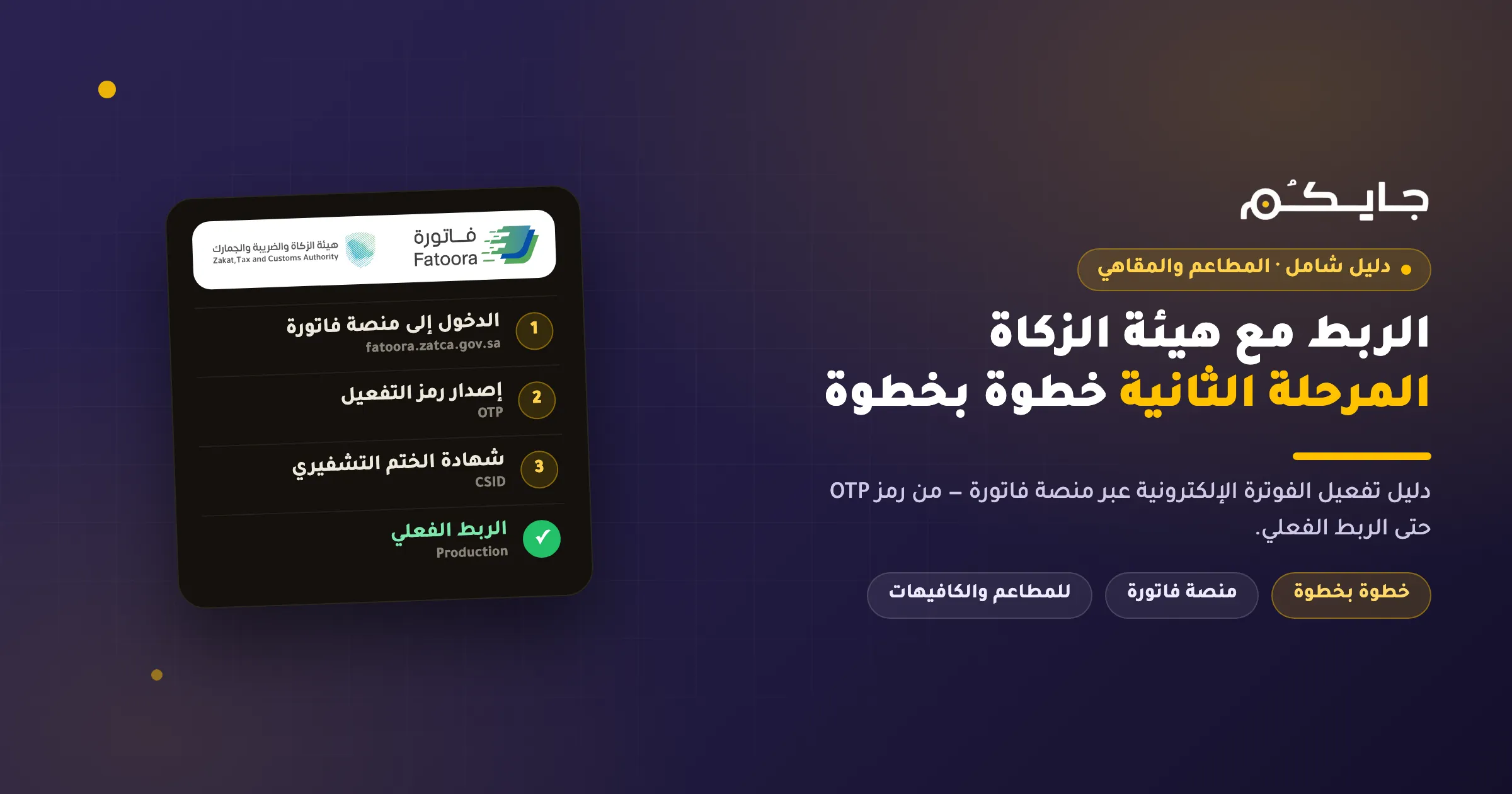
- Activation happens through the Fatoora platform in clear steps: log in with your ERAD credentials, generate an OTP activation code, enter it in your invoicing system, pass the compliance checks, then receive your production certificate and start live transmission.
If you own or manage a restaurant or café in Saudi Arabia and have heard about ZATCA Phase 2 integration but have not activated it yet, you are in territory you need to exit quickly — but without panic. All wave deadlines have passed, compliance is now expected of everyone, and the good news is that the activation process itself is far simpler than the technical jargon suggests, especially if your POS system is already built for it.
In this guide we explain exactly what the Integration Phase is, who is covered, the Fatoora platform activation steps one by one, and the technical requirements in plain language — with a special focus on what all of this means at your counter during the rush.
What Is Phase 2 of E-Invoicing?
Phase 2 — officially named the “Integration Phase” — is the stage where your invoicing system moves beyond merely generating and storing electronic invoices (which was Phase 1’s requirement since 4 December 2021) to actually connecting with the systems of the Zakat, Tax and Customs Authority (ZATCA), so that every invoice you issue reaches the Authority electronically.
Phase 2 rollout began on 1 January 2023 in successive waves of taxpayers grouped by revenue, with ZATCA notifying each wave at least six months before its deadline. Everything runs through the Fatoora platform — the official gateway that links your POS system to the Authority.
Practically, ZATCA Phase 2 integration means three things for your restaurant:
- Your invoices are generated in XML — a structured electronic file format that computer systems can read, not an image or a scanned paper — or as PDF/A-3 with the XML embedded inside.
- Your system carries a “digital identity” issued through the Authority called a CSID (Cryptographic Stamp Identifier) — a cryptographic certificate that uniquely identifies your POS device to ZATCA, much like a national ID identifies its holder.
- Every invoice is transmitted to the Authority: either in real time before being shared with the buyer (standard tax invoices between businesses) or within 24 hours of issuance (the simplified invoices you print for customers at the counter).
Phase 1 vs Phase 2: The Key Differences
The table below summarizes the essential differences between the two phases:
| Aspect | Phase 1 (Generation) | Phase 2 (Integration) |
|---|---|---|
| Start date | 4 December 2021 for all taxpayers | 1 January 2023 in successive waves |
| Invoice format | Electronic, from an invoicing system (handwritten and scanned paper prohibited) | XML mandatory, or PDF/A-3 embedding XML |
| Connection to ZATCA | None — generate and store only | Direct integration with the Fatoora platform |
| QR code | Mandatory with 5 tags (seller name, VAT number, timestamp, total with VAT, VAT amount) | Rises to 9 tags for simplified invoices (adding XML hash, cryptographic signature, public key, and the Authority’s signature) |
| Cryptographic stamp | Not required | Mandatory via a CSID certificate |
| Transmission to ZATCA | None | Tax invoices: real-time clearance — simplified: reporting within 24 hours |
| Additional requirements | Sequential numbering and storage | UUID, invoice counter, previous invoice hash, tamper-proofing |
As you can see, the Integration Phase is not a “minor update” but a complete shift in how your invoicing system works — yet it is a shift your software carries, not you. If your POS is designed for it, your role is limited to the activation steps we explain below.
Who Must Integrate? How the Waves Worked
Phase 2 covers all resident VAT-registered taxpayers in the Kingdom (non-residents are excluded), plus any party issuing invoices on behalf of a taxable supplier.
ZATCA applied integration across 24 waves based on taxable revenue, starting with the largest businesses (over SAR 3 billion) in January 2023 and ending with Wave 24, which covered everyone whose revenue exceeded SAR 375,000 — the same threshold as mandatory VAT registration — with an integration window from 1 April to 30 June 2026.
Put plainly: as of this article’s publication, all wave deadlines have passed, and no Wave 25 has been announced. If your business is VAT-registered, the default assumption is that you are required to be integrated now. New businesses that cross the registration threshold in the future will be notified by ZATCA at least six months before their compliance date.
Full details of all 24 waves, with revenue thresholds and dates, are in our dedicated article on ZATCA integration wave deadlines.
E-Invoicing Phase 2 Activation Steps on the Fatoora Platform
These are the official steps as documented by ZATCA, from first login to live transmission. Before you begin, make sure you have your taxpayer portal (ERAD) credentials and a Phase 2-ready invoicing system.
1. Log In to the Fatoora Platform
Go to fatoora.zatca.gov.sa and sign in with the same taxpayer portal (ERAD) credentials you use for your tax returns. There is no separate account for the platform.
[Image: Fatoora platform login screen with ERAD credentials]
2. Onboard a New Device or Solution Unit
Inside the platform, choose “Onboard a new device/solution unit.” A “solution unit” here simply means the POS device or invoicing system that will issue invoices — and each device needs its own onboarding.
3. Generate the OTP Activation Code
Select “Generate OTP activation code” and specify how many devices you want to connect. The code is issued exclusively by the Fatoora platform, is valid for one hour only, and you can generate up to 100 codes in a single request — an excellent feature if you have multiple branches or several POS terminals to connect in one go.
[Image: OTP activation code generation screen on the Fatoora platform with device count selection]
4. Enter the Code in Your Invoicing System
Copy the code and enter it into your POS system within one hour of issuance. Phase 2-ready systems have a dedicated screen for this step, and it usually takes less than a minute.
5. Request the Compliance Certificate (CCSID)
After entering the code, your invoicing system automatically sends a request called a CSR (Certificate Signing Request — an electronic message through which your system requests its certificate from the Authority) and receives the Compliance CSID (CCSID) in return, a temporary certificate that admits your system to the testing stage.
6. Pass the Compliance Checks
Your system sends test documents (invoices plus credit and debit notes) to ZATCA to verify they match the specifications: valid XML format, a correct QR code, and a valid cryptographic stamp. This step is entirely technical and handled by the system — your only role is to confirm it succeeds.
[Image: Compliance check results screen on the Fatoora platform]
7. Receive the Production Certificate (PCSID) and Go Live
Once the checks pass, your system receives the Production CSID (PCSID) — its permanent digital identity — and from that moment starts transmitting your real invoices to the Authority. Congratulations, you are officially integrated.
[Image: PCSID production certificate issuance confirmation and successful integration]
If you use the Jaicome POS, we have walked through this exact journey with screenshots from the system in our guide to linking Phase 2 tax invoicing step by step with the Jaicome POS.
Test Before You Commit: The Simulation Environment
ZATCA officially provides the “Fatoora Simulation Platform” — a testing environment completely independent from the live one, accessed from within the Fatoora platform itself. There you can rehearse every integration step and send test invoices with no regulatory consequences.
We recommend every restaurant ask its POS provider to run the integration on the simulation environment first, especially if you have more than one branch — discovering a problem in rehearsal is far cheaper than discovering it after going live.
Phase 2 Technical Requirements — In Plain Language
You do not need to be a developer, but understanding what your system does behind the scenes helps, especially when choosing a new POS:
- XML format: every invoice is built as a structured data file that ZATCA’s systems read automatically — transmission to the Authority is in XML only.
- UUID: a globally unique identifier (a 128-bit electronic number) that distinguishes each invoice from any other invoice in the world, so no two invoices can ever be confused.
- Invoice counter (ICV): an internal counter that increments with every invoice and cannot be reset — any invoice that “disappears” leaves a visible gap.
- Previous invoice hash: each invoice carries an electronic fingerprint of the invoice before it, forming a chained sequence from which no link can be deleted undetected.
- Cryptographic stamp: an electronic signature (using ECDSA) proving the invoice was issued by your specific device and was not modified after issuance.
- Prohibited functions: the system must not allow anonymous access or default passwords, editing or deleting invoices after issuance, changing the system time, resetting the counter, or exporting stamping keys.
- Archiving: your invoices must remain accessible to the Authority at any time — on a server inside the Kingdom, or in the cloud with a direct link for ZATCA.
These requirements are the core of the checklist when choosing a POS system — we cover them fully in our guide to choosing a ZATCA-compliant POS.
Real-Time Clearance vs 24-Hour Reporting: The Difference That Matters
Phase 2 handles the two invoice types in two different ways, and understanding the difference is a real relief:
- Standard tax invoice (B2B — business to business): goes through the Clearance interface in real time — your system sends it to ZATCA before sharing it with the buyer, and the platform verifies it, stamps it with the Authority’s stamp, and returns it to you. Restaurant examples: a catering invoice for a company, or a meal-supply contract.
- Simplified tax invoice (B2C — for the end consumer): which is 95% or more of a restaurant’s daily invoices. It is handed to the customer immediately, stamped with the taxpayer’s own stamp (via the CSID certificate), and your system then reports it to ZATCA through the Reporting interface within 24 hours of issuance.
What this means in practice at the counter: your customer never waits for any connection to ZATCA — the simplified invoice prints and is handed over instantly, and reporting happens in the background. Full details of simplified invoice fields and requirements are in our article on simplified tax invoice requirements.
What If You Missed Your Wave Deadline?
First: do not ignore it, but do not assume the worst-case scenario from day one. ZATCA applies a “warning first” principle: the first field violation results in a warning and awareness guidance with no fine, plus a correction period of 30 to 60 days depending on the violation type. Repetition is what gets expensive: the penalty for failing to integrate with the Fatoora platform starts at SAR 10,000 on the second occurrence and escalates up to SAR 50,000.
Additionally, the penalty cancellation and exemption initiative has been extended through 31 December 2026, and its previous round (January–June 2026) explicitly covered field-inspection e-invoicing fines — we recommend verifying the current extension’s coverage via ZATCA’s unified number 19993.
Bottom line: act now, integrate your system, and you will be in the best possible position even if an inspector visits tomorrow. The full penalty ladders and how to handle them are in our article on ZATCA e-invoicing fines and penalties.
ZATCA Phase 2 Integration for Restaurants and Cafés Specifically
A restaurant is not a law firm issuing three invoices a week — you issue hundreds of simplified invoices daily, during rush hours that cannot tolerate a single second of delay. That is why the restaurant sector adds its own considerations to Phase 2 integration:
- Counter speed first: because simplified invoices are stamped locally and reported within 24 hours, integration must never slow down payment. A good system stamps and prints in a fraction of a second.
- Offline mode: an internet outage does not stop the queue. A restaurant-grade system keeps issuing locally stamped invoices, then reports them to ZATCA automatically once the connection returns — within the 24-hour window.
- A QR code on every receipt: your small thermal receipt must carry a clear, scannable QR code — in Phase 2 it is a 9-tag code your customer can verify with ZATCA’s VAT app.
- Delivery-app orders: every order from delivery apps is a simplified invoice that must enter the same sequence and counter and be reported to ZATCA — leave no sales channel outside the system.
- Multiple branches: every POS terminal in every branch is a “solution unit” needing its own certificate — this is where issuing up to 100 OTP codes at once shines, letting you activate all your branches in a single session.
This is exactly what the Jaicome POS was built around: a restaurant point-of-sale system compliant with Phase 2 requirements that stamps simplified invoices instantly, works offline, reports to ZATCA automatically, and manages your branches from one place — without you ever touching a single XML file.
Frequently Asked Questions
How do I know if my business is covered by Phase 2?
If you are VAT-registered and resident in the Kingdom, you are covered — the final wave (24) included everyone with revenue above SAR 375,000, the same threshold as mandatory VAT registration, and its integration window closed on 30 June 2026. ZATCA notifies targeted businesses directly; when in doubt, contact the Authority on its unified number 19993.
How do I connect my POS to the Fatoora platform?
Log in to the Fatoora platform with your ERAD credentials, generate an OTP activation code for the number of devices you have, and enter it in your POS system within one hour; the system then requests the compliance certificate, passes ZATCA’s checks, receives the production certificate, and begins live transmission. On ready systems the process takes minutes per device.
How long is the OTP activation code valid?
One hour only from the moment it is issued by the Fatoora platform, so generate it when you are ready to enter it in your invoicing system right away. You can issue up to 100 codes in a single request to activate several devices or branches at once.
Is there a ZATCA-certified POS?
No — the Zakat, Tax and Customs Authority does not certify or license POS systems, and any advertisement claiming “ZATCA-certified” is inaccurate. The Authority publishes an indicative list of technology solution providers with an explicit disclaimer, and the correct standard is that the system is compliant with its technical requirements and passes the compliance checks.
What should I do if I missed my ZATCA integration deadline?
Integrate your system immediately and do not wait for an inspection visit. The first field violation is a warning with no fine plus a 30–60 day correction period, but repetition raises the penalty from SAR 10,000 up to SAR 50,000. Also check whether the penalty exemption initiative, extended through 31 December 2026, covers your case via the number 19993.
Do I need to integrate if my revenue is below SAR 375,000?
If you are not VAT-registered, you are not currently required to integrate. But once your taxable revenue exceeds the mandatory registration threshold (SAR 375,000) and you register, you become subject to e-invoicing requirements, and ZATCA notifies businesses at least six months before their compliance date.
What is the difference between the compliance certificate and the production certificate?
The compliance certificate (CCSID) is a temporary certificate your system receives to enter the testing stage and send test documents to the Authority. The production certificate (PCSID) is the permanent digital identity granted after passing the checks, with which your system begins transmitting real invoices to the Fatoora platform.
Conclusion: Integrate Today and Relax
ZATCA Phase 2 integration is no longer an upcoming deadline to prepare for — it is a standing obligation on every VAT-registered business. The equation is simple: a ready invoicing system + the activation steps on the Fatoora platform = full compliance running in the background while you focus on your kitchen and your customers. For further reading, you can always consult ZATCA’s official e-invoicing page.
Try the Jaicome POS, compliant with ZATCA’s requirements — it issues stamped simplified invoices instantly, keeps working through internet outages, and reports to the Fatoora platform automatically, from one branch to twenty.
Disclaimer: This article is for educational purposes only and does not constitute tax or legal advice. We always recommend referring to the official website of the Zakat, Tax and Customs Authority or consulting a certified tax advisor.